ScanIT Logo
latest

About

  • About us

Introduction

  • Architecture
  • Requirements

Getting Started

  • Overview
  • 1: Create and deploy profiles for the android app
  • 2: Get profiles, lists and start scanning
  • 3: Send and import data to i-doit

Administration

  • Installation
  • Configuration

Usage

  • i-doit
  • Android
ScanIT
  • Docs »
  • Overview
  • Edit on Bitbucket

Overview

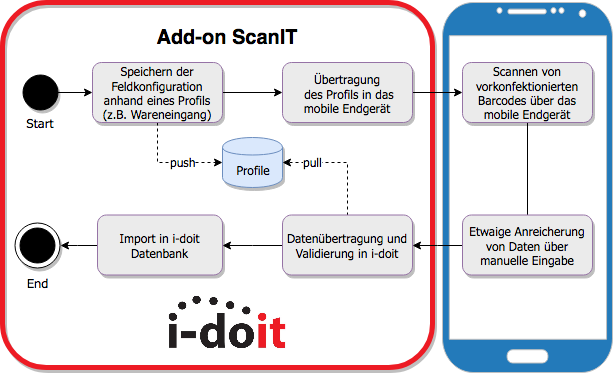
The diagramm explain the way of process

alternate text

Follow the steps…

  • 1: Create and deploy profiles for the android app
  • 2: Get profiles and start scanning
  • 3: Send and import data to i-doit
Next Previous

© Copyright 2021 Revision af2837f8.

Built with Sphinx using a theme provided by Read the Docs.